
Services & pricing
Creating services
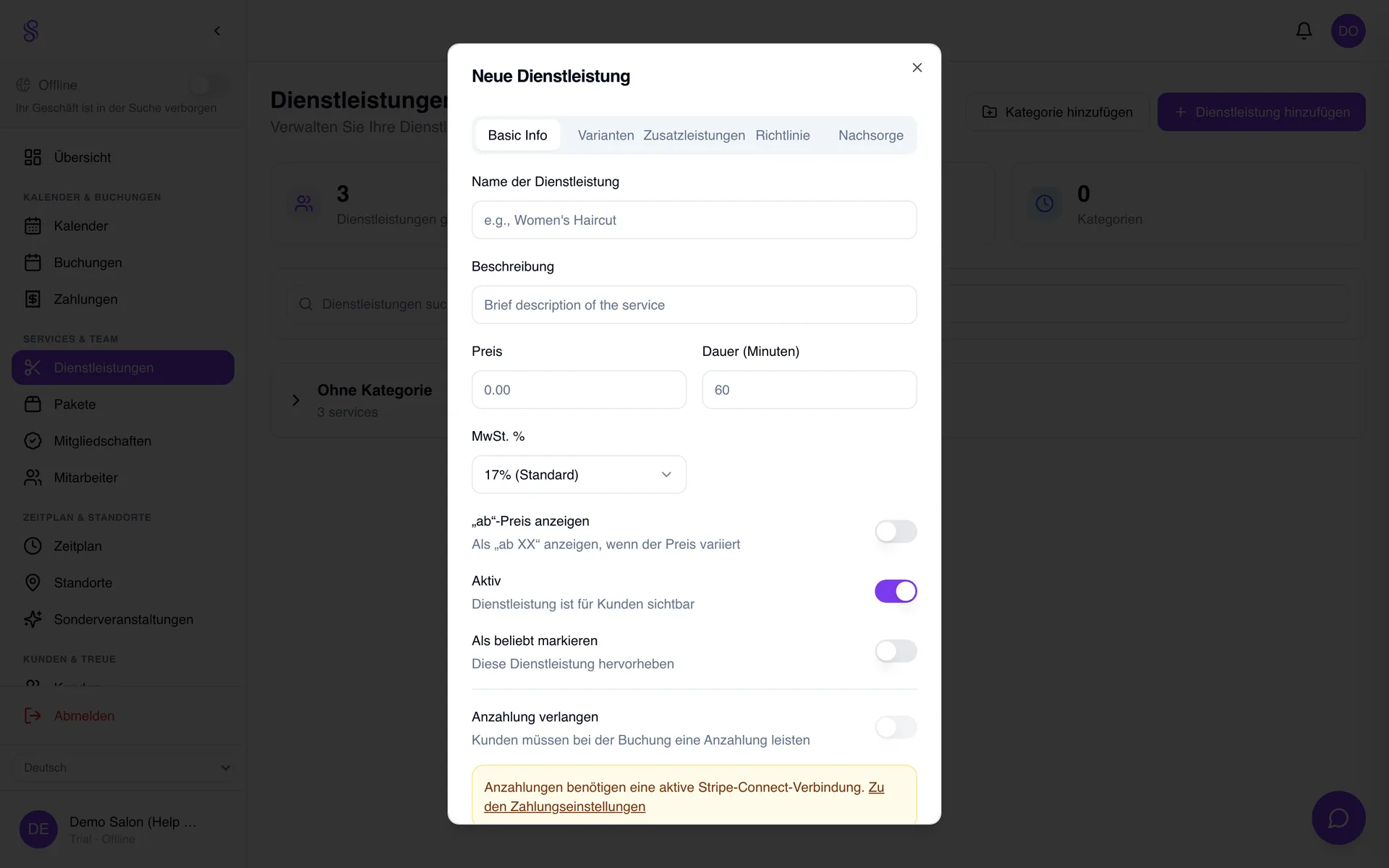
Services are the building blocks of your booking page and calendar. Each one has a name, a price and a duration — and that duration is what blocks calendar time, so getting it right (including cleanup) keeps your day from over-booking.
▶Video tutorial
How to set it up
- 1
Open Services → Add service
Go to Services in the sidebar and click Add service.
- 2
Name it clearly
Use the name customers recognise (e.g. 'Cut & blow-dry') so the booking page reads naturally.
- 3
Set price and duration
Enter the price and a realistic duration including setup and cleanup — the duration is what reserves calendar time.
- 4
Assign a category and save
Drop it into a category to keep the menu tidy, then save.
Good to know
- Duration drives calendar blocking — include cleanup time.
- Use names your customers would search for.
- You can refine price and time any time without losing bookings.